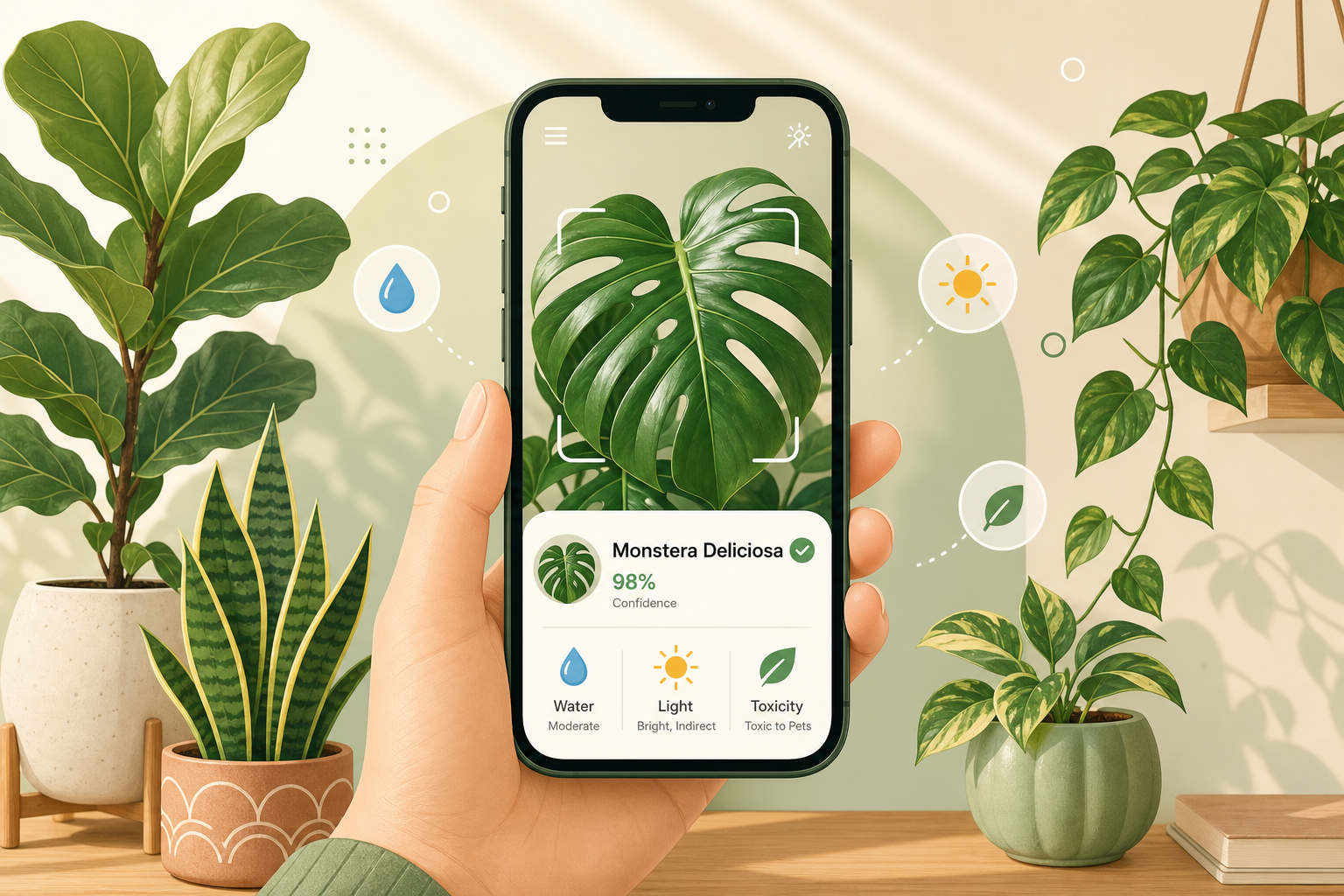
“Why is my Monstera turning yellow?” is, statistically, one of the most-asked questions on the houseplant internet. The answer used to require a botanist friend. Today it requires a phone camera and ~3 seconds.
In my previous post I wrote about AI image cutout — separating a subject from its background. That’s the same family of computer-vision techniques that powers something I’m a big fan of: AI-powered plant identification and disease diagnosis. It uses the same toolkit (deep CNNs/ViTs, fine-grained classification, segmentation) but applied to a beautifully different domain: leaves, flowers and the things that go wrong on them.
This post is a practical guide to:
- how plant ID and disease detection actually work under the hood,
- how to use heysproutly — a free plant identifier with a built-in care-guide encyclopedia — to ID a plant or diagnose a sick one in under a minute,
- and the photo-taking habits that make these models much more accurate.
Why “identify a plant” is a hard CV problem
It’s tempting to treat plant ID as “just another image classifier”. It isn’t — and that’s actually what makes it interesting.
- Fine-grained categories. There are ~400,000 known plant species, and many sister species differ by literally a vein pattern or the shape of a single petal. This is closer to bird-species recognition than to “cat vs dog”.
- Heavy intra-class variation. The same Monstera looks wildly different as a baby cutting, a mature plant, in flower, or under stress. The model has to be invariant to growth stage, lighting and angle, but not to species.
- Long-tailed data. A handful of houseplants (pothos, Monstera, snake plant) make up the bulk of user photos; rare species have few samples. Production systems handle this with class re-balancing and synthetic augmentation.
- Open-set recognition. A user might point a camera at a plant the model has never seen. A good system says “I’m not sure, but it looks like…” instead of confidently lying.
Disease detection adds a second axis on top of all that: not just what the plant is, but what’s wrong with it.
Common plant problems an AI can spot
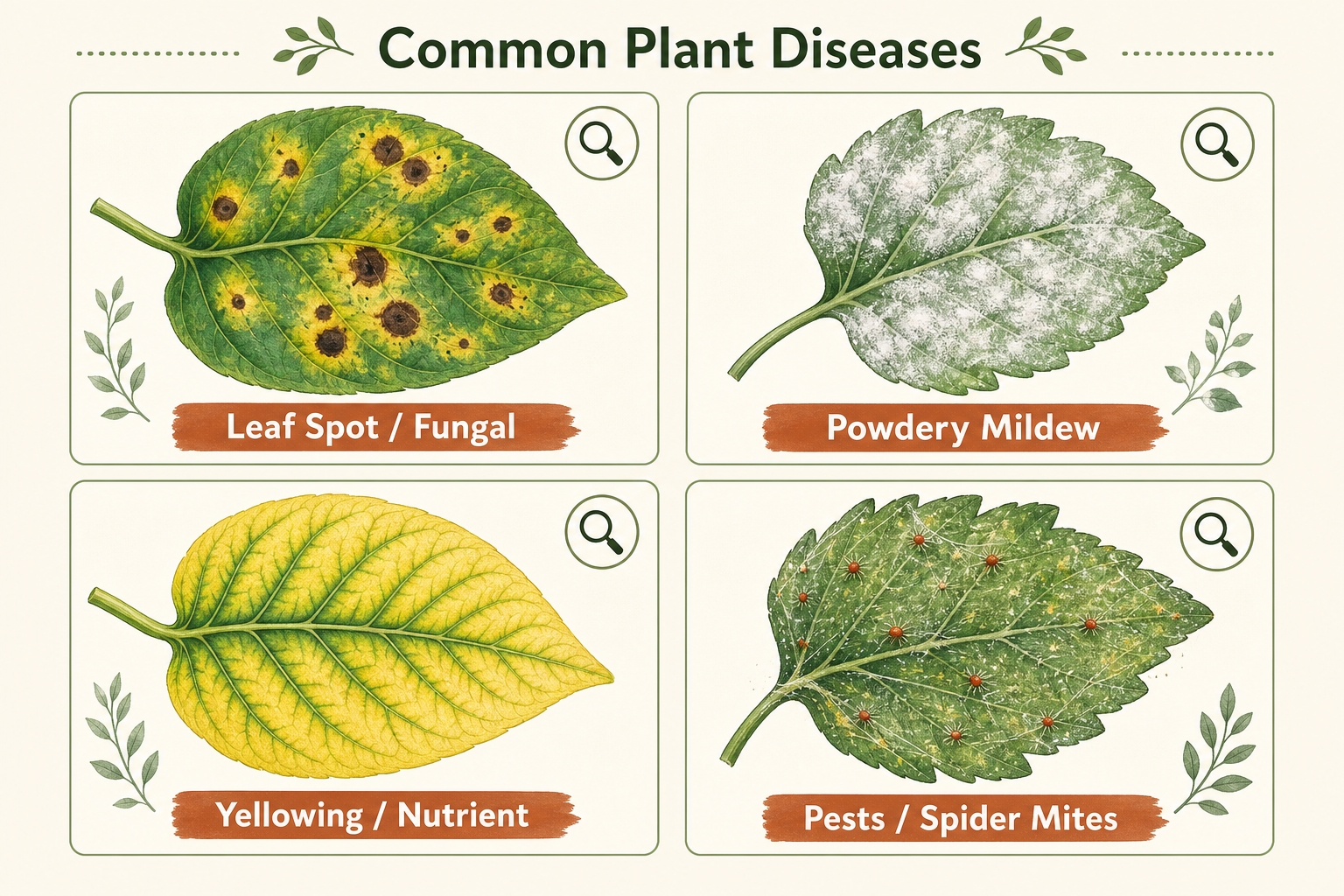
Most of the issues you’ll encounter on houseplants fall into a small set of visually distinctive buckets — which is great news, because that’s exactly what vision models are good at:
| Symptom | What it usually means | Typical fix |
|---|---|---|
| Brown crispy leaf tips | Underwatering / low humidity / fertilizer burn | Check watering schedule, raise humidity |
| Yellow leaves with green veins | Iron / magnesium deficiency (chlorosis) | Adjust fertilization, check pH |
| Dark fungal spots | Leaf-spot fungal infection | Remove affected leaves, improve airflow |
| White powdery coating | Powdery mildew | Reduce humidity, neem oil / fungicide |
| Tiny webs + speckled leaves | Spider mites | Rinse, isolate, apply miticide |
| Sticky residue / sooty mold | Aphids / scale insects (honeydew) | Wipe leaves, insecticidal soap |
| Mushy black stems | Root rot from overwatering | Repot in dry soil, trim rotten roots |
| Wilting despite wet soil | Root rot or too-low light | Stop watering, check roots, move to brighter spot |
A good plant-care AI looks at your photo and the species it just identified, and ranks the most likely problem from this list — instead of giving generic advice.
How AI plant identification actually works
Under the hood, a modern plant-ID app like heysproutly does roughly this:
- Image preprocessing. Auto-orient, white-balance, and crop the leaf/flower into the frame. This is where photo-taking habits matter most (more on that below).
- Backbone feature extraction. A ConvNeXt / EfficientNet / ViT backbone extracts a feature embedding for the image. Modern systems are typically self-supervised pre-trained on hundreds of millions of unlabeled plant photos, then fine-tuned on a labeled species dataset.
- Fine-grained classifier head. A classification head over thousands of plant species outputs a probability distribution. Top-K results (usually top-3) are returned with confidence scores.
- Disease / health head (optional). A second head — sometimes a separate model — classifies the leaf into healthy / sick categories and predicts which disease cluster it falls into.
- Care-guide retrieval. Once the species is known, the app pulls a structured care profile (water, light, soil, toxicity, propagation, common problems). This part is closer to a knowledge base than to ML.
This is the same architecture pattern we use in our matting research — the model learns what to attend to (leaf shape, vein pattern, flower symmetry) and what to ignore (pot, soil, lighting). Fine-grained vision is one of the most exciting subfields in CV right now precisely because the gap between classes is so small.
Step-by-step: identifying a plant with heysproutly
The fastest free tool I’ve found for this is heysproutly. It’s literally a snap-and-identify flow, with a built-in encyclopedia of care guides. Here’s the workflow.
1. Open the identifier
Go to heysproutly.com/identify. No account or app install required — it runs in the browser and accepts PNG / JPG / WEBP up to 5 MB.
2. Take a good photo
This is the single biggest predictor of accuracy. Two photos are better than one:
- Photo A — the whole plant. Step back so the entire plant fits in the frame. This gives the model a sense of growth habit (vining? upright? rosette?).
- Photo B — the diagnostic detail. A close-up of the most distinctive part: a leaf (top and bottom), a flower, or the bark for trees. For disease photos, get close enough to see the actual lesion clearly.
Lighting tips:
- Daylight near a window beats indoor bulbs.
- No backlight — the plant should be lit from your side, not silhouetted against a window.
- Place the leaf against a plain background (a piece of paper works perfectly) for the cleanest classification.
3. Upload and read the result
Drag-and-drop the photo. Within a couple of seconds you’ll get:
- The scientific name + common name of the plant.
- A confidence score (be skeptical of anything < 80%).
- Whether the plant is toxic to pets / kids — extremely useful for households with cats, dogs, or small children.
- A summary of watering, light, soil and humidity needs.
- Symbolism / cultural notes.
4. Dig into the care guide
Click through to the plant encyclopedia for the species — it has hand-written care guides that go much deeper than the summary card: seasonal watering schedules, propagation steps, common pest/disease notes, and what to do at each stage of the plant’s life. If you’re new to a species, it’s the difference between “my Monstera died” and “my Monstera is thriving.”
5. Diagnose problems
If your plant looks unhealthy, photograph the affected leaf as your second image. The system will rank the most likely problem (one of those buckets in the table above) and recommend a treatment plan: change the watering schedule, isolate from other plants, apply neem oil, repot, etc.
6. Browse the Plant Blog for deeper reading
For systemic issues — light science, fertilizer ratios, propagation methods, seasonal care — the heysproutly blog is a great companion. I particularly like that the writing is grounded in actual horticulture instead of being generic AI-generated filler.
Photo habits that dramatically improve accuracy
If you only take three things from this post, take these:
- Two photos beat one. A whole-plant shot + a close-up shot together pin down both the species and the symptom far better than a single image. Most ID apps will let you submit both.
- Avoid extreme angles. A flat, perpendicular shot of the leaf surface gives the model the same view it was trained on. Weird angles produce weird results.
- Get the leaf bottom too. Many pests (spider mites, aphids, mealybugs) live on the underside of leaves. If you only photograph the top, you’re literally hiding the diagnosis.
A small bonus — if you want to crop a plant photo before sharing it on Instagram or a plant forum, you can use the Cutout.Pro Background Remover (which I wrote up here) to isolate just the plant from a busy living-room background. Fine-grained vision models love clean isolated subjects, and your followers will too.
Why I think this domain is exciting
I work mostly on image matting and generative models, but I keep an eye on plant CV because:
- It’s a wonderful fine-grained recognition benchmark — much harder than ImageNet and much closer to what production CV looks like.
- It has immediate, tangible impact. A model that saves a $200 fiddle-leaf fig is doing more good in many people’s lives than another marginal SOTA on COCO.
- It’s multi-modal in spirit: photo → species → structured knowledge → personalized care. That’s the same shape as most useful real-world AI systems.
Tools like heysproutly are a really clean example of this end-to-end loop. If you keep houseplants — or you’re a CV practitioner curious about a non-obvious application of fine-grained classification — it’s worth ten minutes of poking around.
TL;DR
- Plant ID is fine-grained image classification over ~hundreds of thousands of species; disease detection is a related head over a small set of visually distinctive symptoms.
- The accuracy you actually get is dominated by photo quality: two shots, daylight, plain background, leaf top and bottom.
- For a free, no-install tool, heysproutly is a great place to start — identify a plant here, then dig into the encyclopedia for full care guides.
- Pair it with a clean cutout of your plant from Cutout.Pro and you’ve got a small but very practical CV pipeline running on your phone.
If you build something interesting with plant data — or if you’d like to chat about fine-grained vision, matting, or AIGC research — I’d love to hear from you. Drop me a line at jxie@picup.ai or find me on GitHub.
Related: AI Image Cutout in 2026: A Researcher’s Guide to Background Removal with Cutout.Pro.